Attention! Automatic installation of Smarty Lite using the script is possible only for Debian 10 and Debian 11.
With the help of the script, you can greatly facilitate the procedure of installing Smarty Lite on the server. In order to use the script it is necessary:
- Install Debian;
- Download the script to the server;
- Run a script using a command
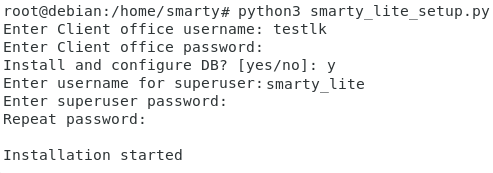
python smarty_lite_setup.pyIn Debian 10 you need to use a commandpython3 smarty_lite_setup.py). The script should be run using superuser rights. - Follow the tips that appear on the screen:
The script is available for download in your personal account in download files. Path to file: /release/smarty_lite_setup/smarty_lite_setup.py
At the very beginning, the script will ask the user to enter the login from the personal account and his password. Next, it will be proposed to install and configure the database. In case of failure, you will need to install the database manually, as well as enter data from it into the Smarty configuration file; you can read the instructions for manual installation of Smarty Lite on the server.
After the database, you will need to enter a username with superadministrator rights, as well as a password from it. After that, the Smarty Lite installation will be launched.
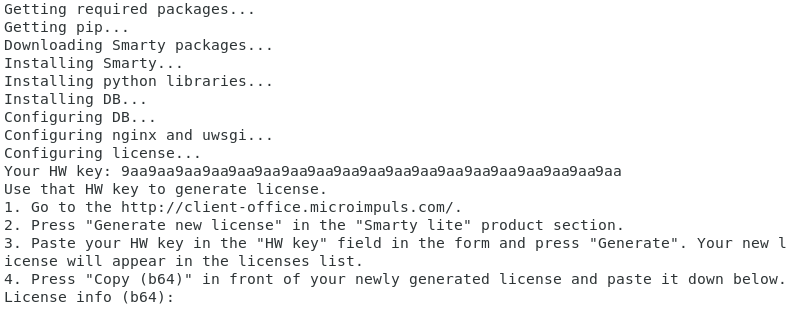
At some point, the script will stop working (3-5 minutes after the installation starts) and request the Smarty Lite key in base64 format. To obtain the key, it is necessary:
- Copy the HW key from the corresponding line;
- Go to the personal account at the link: http://client-office.microimpuls.com/ and enter it by login and password, which were specified at the beginning of the script launch;
- Select the Smarty Lite product and click the button «Generate a new license key »
- Insert in the corresponding field HW key and press generate;
- Copy the key in base64 format, return to the script and insert the key.
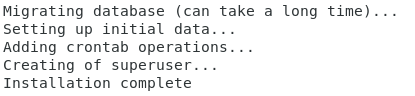
After entering the product key, the installation will continue and end with a message Installing Complete.